How to keep an inventory across multiple homes
Before buying another adapter or packing a second set of kitchen tools, check what you already have at the destination. A useful inventory distinguishes the place where an item lives from the group you want to find it with.
Itemsbase is being developed for iPhone and Android around this recall problem. It is not yet generally available; join the early-access list for updates.
Give each physical site its own Location
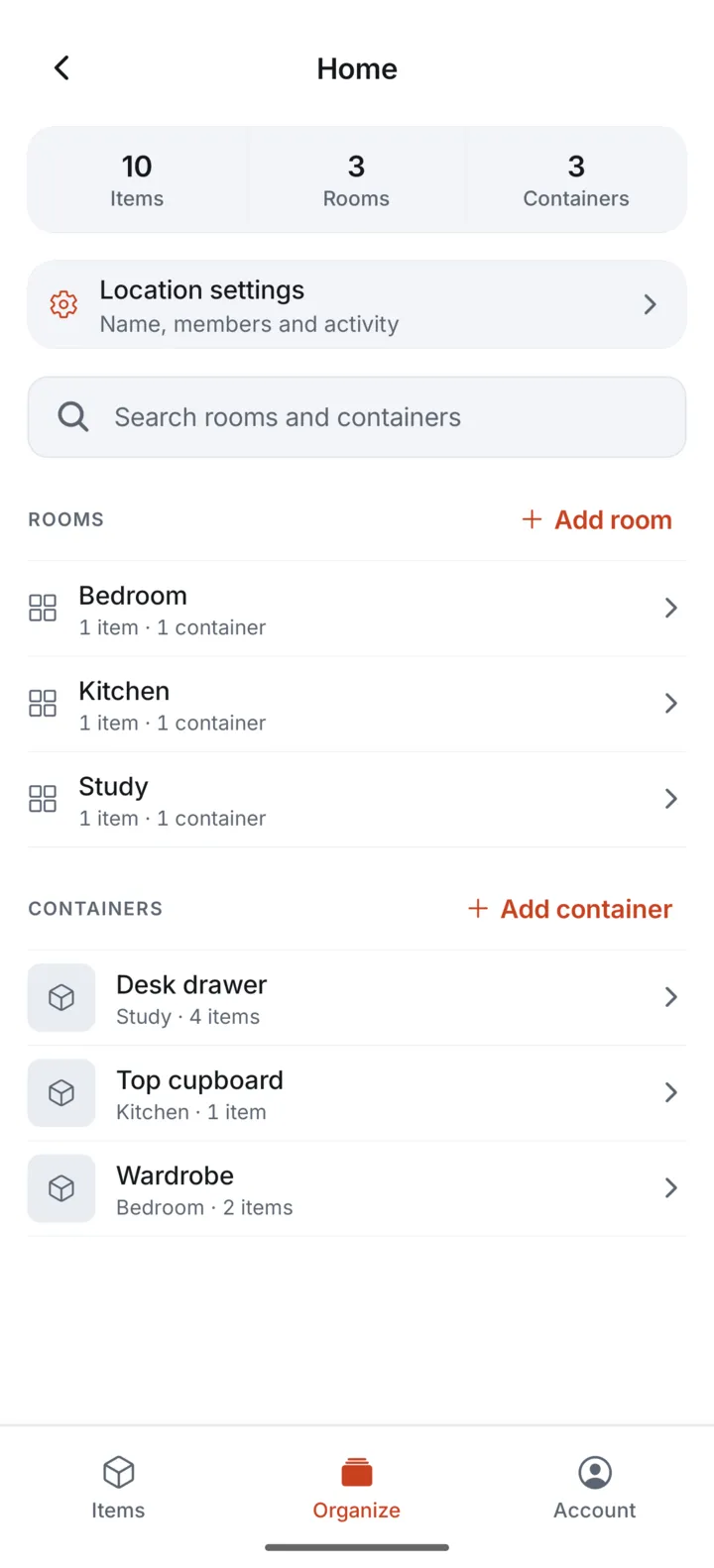
Create a Location for each home, office, or storage unit. Within a Location, add familiar Rooms and Containers. For example, an adapter might live in Athens apartment, Hallway, Travel bag; a spare charger might live in London flat, Study, Cable drawer.
Choose names you will recognize while away. If you have two homes in the same city, use distinct Location names rather than relying on the same tag to tell them apart.
Search before buying a duplicate
Use the Items view to search across your catalogue. Check the Location and storage place on a result before deciding whether you need another item. If you are interested in only one home, narrow the view to that Location.
A short, specific item name helps: Wireless headphones is more useful than Electronics. Add a photo when two otherwise similar items would be hard to distinguish.
Use Tags and Collections for a different question
A Tag such as travel can label items in more than one Location. A Collection such as Travel essentials can keep selected items together without changing their physical places. Use these groups to recall what you need, then use each item's Location to decide what to pack.
When you physically move something to the other home, update its Location and choose its new Room or Container. Adding it to a Collection does not itself move the item.
Choose viewing or editing access deliberately
If someone only needs to check your list, use a view-only in-app share. A co-manager of a Location has editing access, which is a different role. Public links for people without the app are planned for a later release. See the sharing answers before inviting someone.
Prepare before travelling
Sync your phone while connected and open any photos you expect to need. Locally available inventory remains searchable offline. Changes made on another device while you are disconnected will not appear until your phone reconnects.
If you export a Location's list as CSV, treat it as a snapshot of item details and photo counts. It does not include the images or provide a full account backup.